How to Use a Lavalier Microphone for Clear Voice Recording
To use a lavalier microphone, clip it to your clothing near your chest, connect it to your device, and test the sound before recording. A few small placement habits make the difference between clean voice audio and rustly, noisy clips.
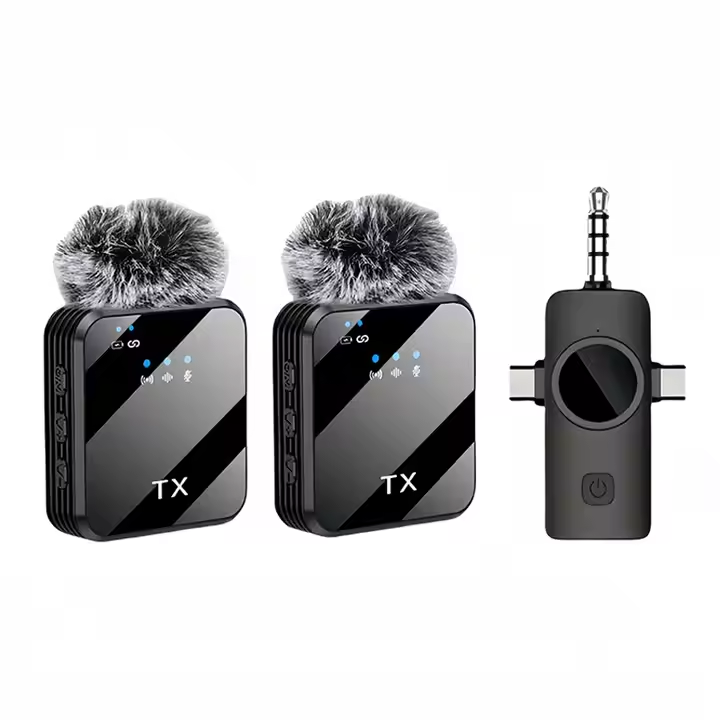
Step 1: Choose the right placement
Clip the mic to a collar, lapel or neckline, about a hand's width below your chin. Closer to the mouth means a stronger voice relative to background noise, but too close can cause breathy sounds.
Point the mic element toward your mouth and keep it facing outward, not tucked flat against fabric. Make sure the clip holds firmly so the mic doesn't shift when you turn your head.
Step 2: Reduce rustle and wind
Clothing rubbing against the mic is the most common problem. Choose a spot where fabric doesn't move much, and avoid scarves, necklaces or jacket zippers nearby.
Outdoors, wind can ruin a take. The Hushwave Wireless Lavalier Microphone with Windscreen includes a windscreen that helps reduce wind noise, so fit it before filming outside.
Step 3: Connect and test
Connect the receiver or plug to your phone or camera according to the product instructions, and check that your device is actually using the external mic as its input.
Record a ten-second test while speaking at your normal volume, then listen with headphones. Check for rustling, distortion and background noise, and adjust the position if needed.
Step 4: Keep it consistent
Once you find a placement that sounds good, repeat it each time. Note which side of the collar you used and how far from your mouth.
For longer interviews, check the mic occasionally, because clips can slide and cables or clothing can shift as you move. A quick glance between takes avoids re-recording whole sections.
FAQ
Where should a lavalier mic be placed?
Usually on the collar or chest, about a hand's width below the chin, facing your mouth.
How do I stop wind noise outdoors?
Use a windscreen. The Hushwave lavalier includes one that helps reduce wind noise.
Should I test before recording?
Yes. A short test with headphones shows rustle, distortion or low volume before you start the real take.
Also worth reading: Wireless Lavalier Microphone for Video · Lavalier vs Handheld Microphone